Settings page overview
The AE settings page lives inside your Shopify admin. This is where you configure the core mechanic — max discount, crash weights, cooldown, and volume caps. Here's what it looks like:
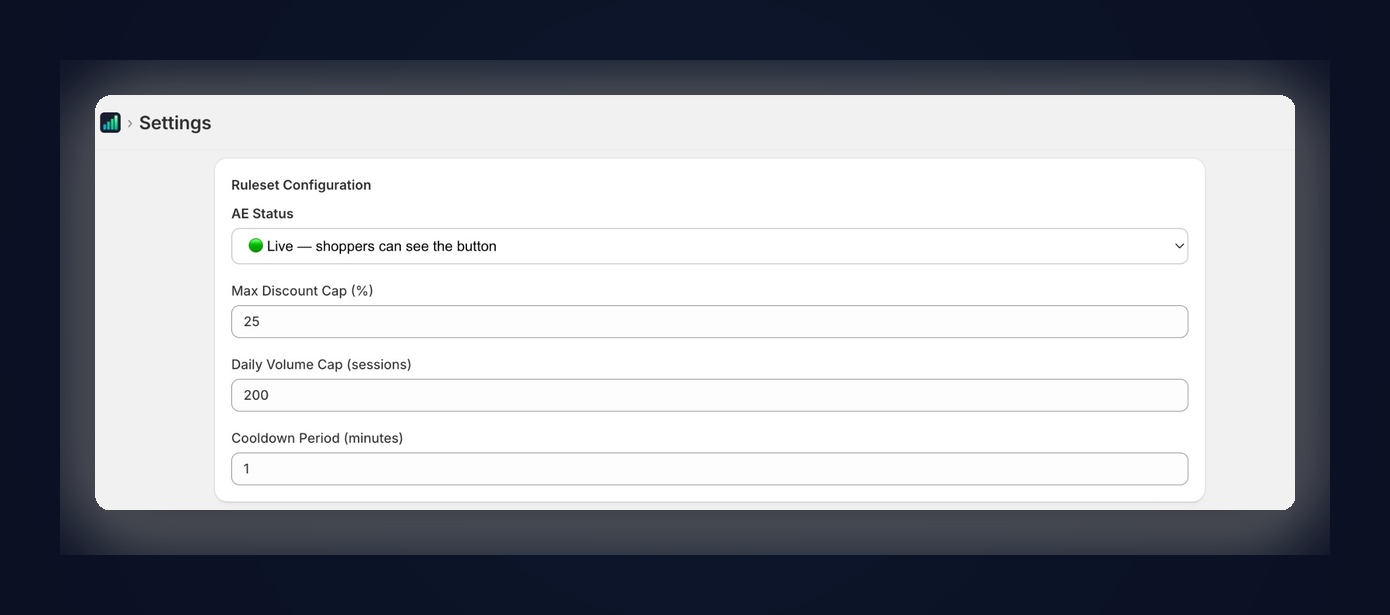
The main settings page where you configure your maximum discount, daily volume cap, cooldown period, and toggle AE live or off.
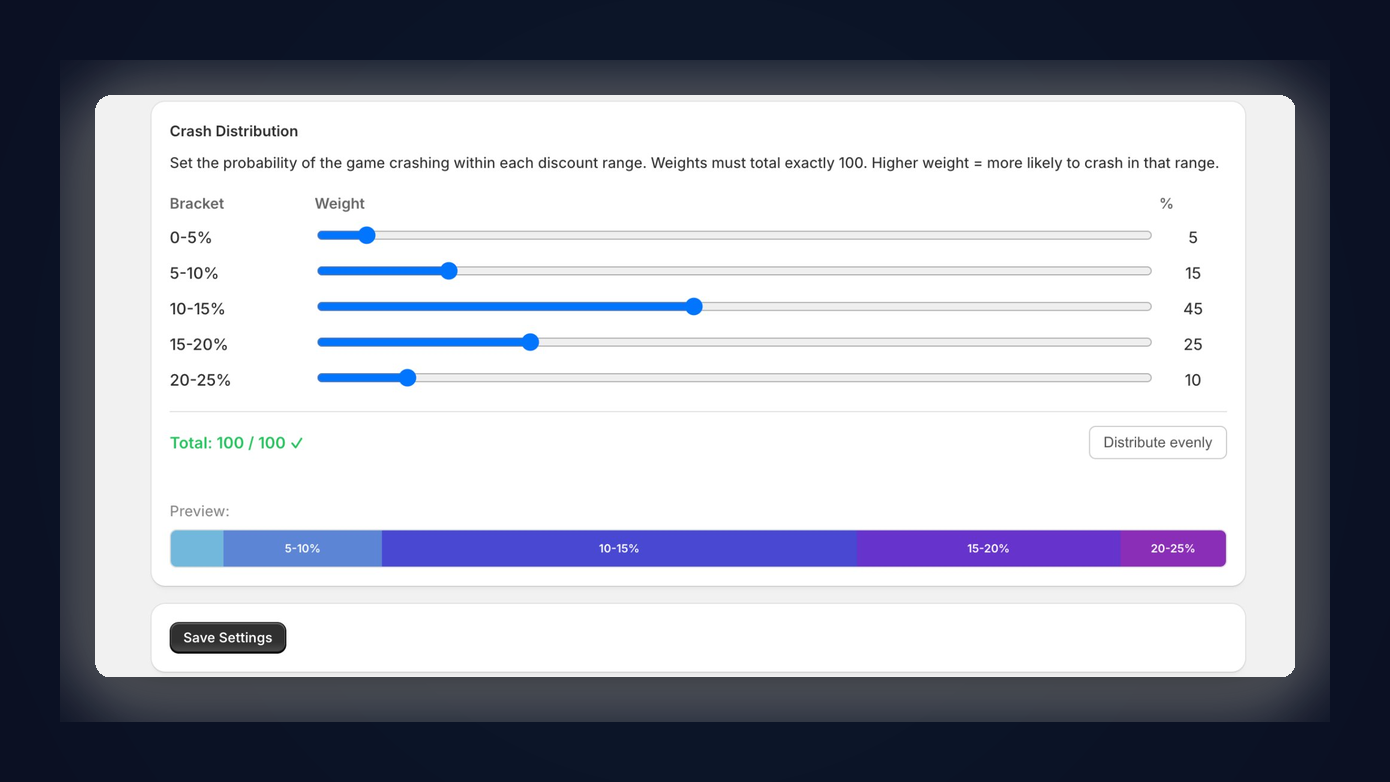
The crash weight sliders. Each bracket gets a percentage weight that controls how likely the meter is to crash in that range. Weights must total exactly 100.
Dashboard metrics
Your AE dashboard gives you real numbers — not vanity metrics. Every data point is designed to help you evaluate whether AE is earning its keep.
AE-Attributed Revenue
Total revenue from orders where the shopper used an AE discount code. This is direct, trackable revenue — not modeled or estimated.
Total Discount Cost
The sum of all discounts given through AE. This is the actual dollar amount off your top line.
ROI per Dollar Discounted
AE-attributed revenue divided by total discount cost. A ratio of 8:1 means every dollar you gave away in discounts generated $8 in revenue.
Average Discount Rate
The mean discount percentage shoppers actually received. Compare this to your max discount to see how much you're saving versus a flat coupon.
Total Sessions
How many times shoppers clicked "Reveal Your Discount." Track this alongside cashout and crash rates to understand shopper behavior.
Cashout Rate
Percentage of sessions that ended in a successful cashout (vs. a crash). This tells you how many shoppers are walking away with a discount.
Crash Rate
Percentage of sessions that ended in a crash. Remember — crashes aren't bad. They mean full-price potential with zero discount cost.
Repeat Customers
Shoppers who've used AE more than once across separate visits. High repeat rates suggest the mechanic is driving return traffic.
Reading your numbers
The most important metric is your average discount rate relative to your max. If your max is 20% and your average is 9%, the mechanic is working — shoppers are cashing out early, and you're spending less than what a flat 20% coupon would cost.
Use your dashboard to experiment. Adjust your crash weights, observe how your cashout rate and average discount shift over the following days, and dial in the configuration that fits your margins and your customers.
Revenue attribution
AE tracks revenue attribution through Shopify's native discount code system. When a shopper cashes out, AE generates a unique discount code and auto-applies it at checkout. If that code appears on a completed order, the order's revenue is attributed to AE.
This is clean, verifiable attribution with no gray areas. You can cross-reference AE-attributed orders in your Shopify admin by searching for orders with AE-generated discount codes (they follow a recognizable naming pattern).